In 2026, Claude Code, Codex, GitHub Copilot and Cursor no longer just complete lines: they are agents that read a repository, edit several files, run the tests and prepare a pull request. The gains are real on well-scoped tasks. So are the risks: an agent runs commands with the rights of the person who launches it, reads content that may contain malicious instructions, and sends code to an external provider. Here is how we use them and, above all, how we govern them.

Three families of tools
The boundaries move fast, but the tools fall into three families depending on where they work.
In the editor. Cursor is a VS Code–based editor built around AI, with an agent mode. GitHub Copilot integrates with VS Code, JetBrains IDEs and other editors, also with an agent mode. The developer stays in control at each step and sees changes as they happen.
In the terminal. Claude Code (Anthropic) and Codex (OpenAI) were born on the command line: you describe a task, the agent explores the repository, proposes a plan, edits files and runs the allowed commands. Both also come as IDE extensions and apps. Gemini CLI (Google) and OpenCode are open source alternatives; OpenCode, like Cline in VS Code, lets you pick the model provider.
In the background, in the cloud. You hand over a task, the agent works in an isolated environment and returns a pull request. That is the case for GitHub Copilot’s cloud agent (you assign it an issue, it works in a GitHub Actions container and can’t merge its own work), Codex cloud tasks, Claude Code in the browser and Cursor’s cloud agents.
Two standards bring these tools closer. MCP (Model Context Protocol) connects an agent to tools and data sources; the main coding agents support it. AGENTS.md, launched by OpenAI in August 2025, is a file at the root of the repository that tells agents about the project’s commands, conventions and sensitive areas. Since December 2025, both have been stewarded by the Agentic AI Foundation, under the Linux Foundation.
What these agents really change
On our projects, the gains are clear on:
- writing tests for existing code;
- mechanical migrations (library upgrades, renames, API changes);
- investigating a bug from a stack trace or an issue;
- technical documentation and tooling scripts;
- getting up to speed on an unfamiliar codebase.
They are less reliable as soon as the task is ambiguous: implicit business rules, architecture trade-offs, performance under load, security. That is where the team’s experience makes the difference, and where code review remains essential. We covered this in Vibe coding: from prototype to production.
Security: what an agent can do, read and send
A coding agent often combines three capabilities: it accesses private data (your code, your environment variables), it reads untrusted content (an issue, a dependency, a web page, a package README) and it can communicate externally (network, commands, pull requests). When all three come together, an instruction hidden in content the agent reads can push it to exfiltrate secrets or run a command: that is prompt injection.
The risk is not theoretical. In August 2025, Microsoft fixed CVE-2025-53773: a prompt injection could lead Copilot to change VS Code settings to auto-approve itself, then execute code. In 2026, researchers showed that instructions hidden in a pull request title or an issue body could push agents running in CI to leak their own tokens. Vulnerabilities have been published for most tools on the market; vendors fix them, but the underlying defense is to limit what the agent can reach.
The rules we apply
- Explicit permissions. A list of commands allowed without confirmation (tests, lint, Git reads), forbidden commands (push, deploy, delete), confirmation for everything else. “Accept everything” mode is only used in a disposable environment.
- Sandbox. Writes limited to the project folder, network off or restricted to an allowlist of domains. Claude Code and Codex offer OS-level sandboxing; cloud agents run in isolated containers, with a firewall for Copilot’s agent.
- Secrets out of reach.
.envfiles and secret folders denied for reading, no production secrets on the laptop or in the agent’s environment, minimum-scope tokens for agents in CI. - Enforced settings. Enterprise plans let you enforce these rules across the organization (Claude Code managed settings, Codex admin policies) and prevent permission bypass.
- Human review before merge. The agent proposes; the developer and the tech lead approve. No automatic merges.
- Logging. Who ran what, with which tool, on which repository. Changes produced with an agent stay traceable in Git history.
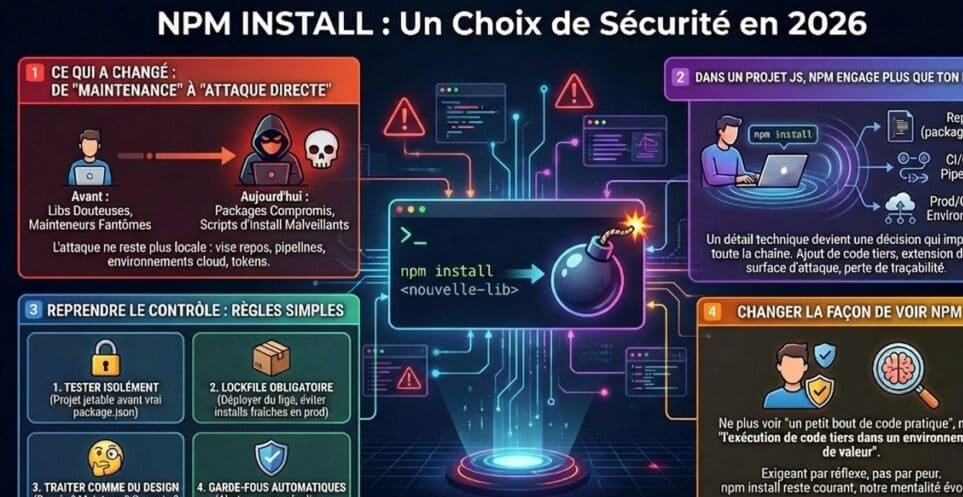
- Controlled dependencies. An agent that adds a package follows the same rules as humans: reviewed lockfile, install scripts blocked, minimum release age. See npm install and security.
Example project settings for Claude Code (.claude/settings.json):
{
  "permissions": {
    "allow": [
      "Bash(npm run test *)",
      "Bash(npm run lint *)",
      "Bash(git diff *)"
    ],
    "deny": [
      "Read(./.env)",
      "Read(./.env.*)",
      "Read(./secrets/**)",
      "Bash(git push *)"
    ]
  },
  "sandbox": {
    "enabled": true
  }
}
And the equivalent for Codex (.codex/config.toml):
sandbox_mode = "workspace-write"
approval_policy = "on-request"

[sandbox_workspace_write]
network_access = false
These files are versioned with the project and reviewed like code.
Code confidentiality and cost
The code relevant to the task is sent to the model provider. Before rolling out a tool, check the contract: data retention, use for training, location, subprocessors. Business plans generally cover these points, but not all in the same way. If the terms don’t fit, two options remain: exclude certain repositories from agent use, or use self-hosted models.
Cost is mostly driven by usage: per-seat subscriptions, credits or consumption billing depending on the plan. An agent running for a long time on a poorly scoped task costs a lot for little result. Measure it from the pilot onward.
Adopting a coding agent: a measured pilot
The decision is less technological than organizational: where are your bottlenecks, and what level of control does your governance require?
A simple path:
- Scope a six- to eight-week pilot on a precise area: test generation, dependency migrations, simple technical debt.
- Compare two tools at most, chosen to fit your constraints: a terminal agent (Claude Code or Codex), an editor tool (Cursor or Copilot), possibly an open source option if control over the provider is a criterion.
- Set the rules before day one: permissions, sandbox, excluded files, an AGENTS.md file or equivalent, review workflow.
- Measure three indicators that speak to leadership: pull request cycle time, reopen or rollback rate, developer satisfaction. Also track cost per task.
- Expand gradually if the results are there, tightening the rules (enforced settings, logs, access policies).
How we work with these tools
Our teams use coding agents day to day, within the framework described on our AI-assisted engineering page: the tool is chosen with the client, the rules are set in their repository, and the Etixio tech lead remains accountable for what is delivered. Systematic code review, automated tests, continuous integration, secrets management and separate environments apply to code written with an agent just as to the rest. Your repositories, your access and your accounts stay yours: our teams work in your environment, with your tools and your security rules.
We also connect these agents to your internal tools when useful, for example with an MCP server that gives them controlled access to your documentation or your tickets.
Want to scope a pilot, or evolve custom software with a team that knows these tools? Let’s talk.
FAQ
What is Claude Code?
Claude Code is Anthropic’s agentic development tool. Available in the terminal, in IDEs, in a desktop app and in the browser, it reads a repository, edits files, runs commands and prepares changes, within the permissions you configure. It runs on Claude models.
What is the difference between Claude Code, Codex, GitHub Copilot and Cursor?
They now cover similar ground but start from different places. Claude Code and Codex (OpenAI) were born in the terminal and also come as IDE extensions and cloud execution. GitHub Copilot starts from the editor and GitHub, with an agent that takes an issue and opens a pull request. Cursor is a full editor built around AI. The right choice depends on your tools, your security rules and the tasks you target.
Can a coding agent replace a developer?
No. It speeds up well-scoped tasks (tests, migrations, fixes, documentation), but architecture choices, business understanding, code validation and accountability for what goes to production remain human. On our projects, every change produced with an agent goes through the same code review as everything else.
How do you secure the use of a coding agent?
By limiting what it can do and read: explicit command permissions, a sandbox for the file system and network, secret files denied for reading, no production secrets in the environment, settings enforced across the organization, and human review before any merge. You also need to treat repository content, issues and web pages as potentially malicious (prompt injection).
Is our code sent to the model provider?
Yes, the code relevant to the task is sent to the model. The business plans of the main providers govern data retention and generally exclude training on your content, but terms vary: check them contract by contract, and explicitly exclude sensitive files.